Let's be honest. The idea of camping often comes with a quiet, nagging question: "Will I have Wi-Fi?" For some, it's a deal-breaker. For others, it's a safety net. I've been camping for over a decade, and my relationship with campsite Wi-Fi has evolved from desperate searches for a bar of signal to a more strategic, balanced approach. The goal isn't to bring your office to the woods, but to have controlled connectivity—enough to check a map, send a "we're safe" message, or maybe stream a movie on a rainy night without draining your phone's entire data plan.
What's Inside This Guide
How to Find Campgrounds with Reliable Wi-Fi
Not all campground Wi-Fi is created equal. "Wi-Fi available" on a website can mean anything from a blazing fast fiber connection at the registration office to a single, ancient router coughing out a signal that barely reaches five sites. Here's how to decode the listings and find a good one.
First, look beyond the checkbox. Read the reviews. On sites like The Dyrt or Campendium, campers are brutally honest about connectivity. Search for keywords like "Wi-Fi," "signal," and "data." Phrases like "Wi-Fi only at the lodge" or "signal is spotty after 5 pm" are huge red flags. A green flag is a review that says, "We streamed Netflix from our site."
Second, understand the provider landscape. In my experience:
- National/State Park Campgrounds: Often have no Wi-Fi at individual sites. Your best bet is the visitor center or campground office. For example, Yosemite's Upper Pines campground has no site Wi-Fi, but the Yosemite Valley Visitor Center does. Plan accordingly.
- Private Campgrounds & RV Parks: These are your best shot. Chains like KOA (Kampgrounds of America) almost always advertise Wi-Fi, but quality varies by location. Higher-end private resorts are more likely to invest in robust systems.
- Bureau of Land Management (BLM) & Dispersed Sites: Forget it. You're on your own with cellular data or satellite.
Pro Tip from a Decade on the Road: Always call the campground directly. Ask two specific questions: 1) "Is the Wi-Fi strong enough for video calls at the sites, or just for checking email?" and 2) "Which loop or site numbers have the best reception?" The answers will tell you everything. A hesitant "uh, it's okay for email" means don't plan on working. A confident "Sites 15-30 are closest to our repeater" means they actually understand their system.
Essential Gear for Wi-Fi Camping
Relying solely on the campground's network is a rookie mistake. You need a backup plan. This isn't about packing a server rack; it's about smart, multi-layered connectivity.
Your Connectivity Toolkit
Think of this in tiers, from essential to luxury-for-work.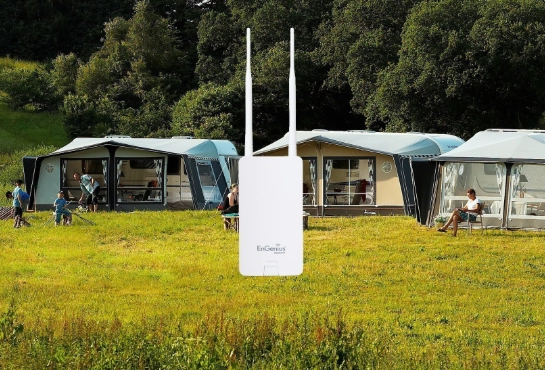
| Gear | What It Does | Best For | Approx. Cost |
|---|---|---|---|
| Smartphone with Hotspot | Uses your cellular data to create a small Wi-Fi network. | Emergency backup, quick tasks. Drains phone battery fast. | (Already owned) |
| Power Bank (20,000mAh+) | Keeps your phone and other devices charged for days. | Every single trip. Non-negotiable. | $40-$80 |
| Cellular Signal Booster | Amplifies weak cellular signals for your phone/hotspot. | Camping in areas with 1-2 bars of slow service. | $150-$500 |
| Dedicated Mobile Hotspot (MiFi) | A separate device for cellular data, often with better antennas than a phone. | Remote workers, frequent campers. Saves phone battery. | $100-$200 + Data Plan |
| Portable Wi-Fi Extender/Router | Connects to a weak campground Wi-Fi, rebroadcasts a stronger signal right at your site. | Making a distant park Wi-Fi signal usable at your tent or RV. | $60-$150 |
The most common mistake I see? People buy a fancy signal booster but forget they need an external antenna for it to work well inside a metal RV. Or they bring a portable router but don't know how to log into a captive portal (that "click to agree" splash page). Test your gear at home first.
My personal setup for working trips: A Netgear Nighthawk M6 hotspot (on a separate unlimited data plan), a WeBoost Drive Reach booster for the car, and a GL.iNet travel router. The router is the secret weapon—it can connect to the campground Wi-Fi, go through the login page once, and then create my own private network for all my devices. No re-logging on every phone and laptop.
How to Boost a Weak Campground Signal
You've arrived. The promised Wi-Fi icon is on your screen, but loading a webpage feels like watching paint dry. Don't despair. Try this sequence before you give up.
1. Location, Location, Location. Walk around your site with your laptop or phone. Often, signal strength changes dramatically over just a few feet. The best spot might be near a tree at the edge of your site, or higher up if you're in a valley. Sometimes just moving your chair makes the difference between no service and usable service.
2. The 2.4 GHz vs. 5 GHz Trick. Many campground routers broadcast both bands. 2.4 GHz travels farther through obstacles (like trees and RVs) but is slower and more crowded. 5 GHz is faster but has shorter range. If you're far from the source, manually connect to the 2.4 GHz network. Its name often ends in "-2G" or "-Legacy."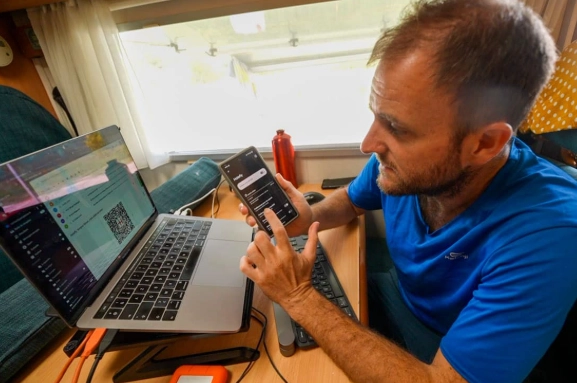
3. Time of Day Matters. Campground Wi-Fi often crumbles in the evening when everyone is back at their sites and online. Do your heavy downloading (maps, movies, work files) in the morning or mid-afternoon when the network is quieter.
Security Warning: Public campground Wi-Fi is a hacker's playground. Never use it for online banking, shopping (entering credit cards), or accessing sensitive work files without a VPN (Virtual Private Network). A good VPN encrypts your data. Services like ExpressVPN or NordVPN are easy to set up on your phone and laptop before you leave home.
If all else fails, that's when your cellular backup plan kicks in. Use your phone's hotspot for the critical task, then disconnect. It's about strategic, minimal use.
Balancing Connection and Nature
This is the real art of camping with Wi-Fi. It's not a tech problem; it's a mindset one. The goal is to use connectivity to enhance your trip, not let it dominate.
I set hard boundaries. My rule is "Sunrise to Sunset is for Outside." The phone goes on Do Not Disturb, and I only check it for photos or the occasional trail map. After dark, when we're back at camp, that's the window for a family movie, checking in with family, or planning the next day's hike.
I also practice what I call "purposeful disconnection." On a 4-day trip, I might declare day 3 a complete digital detox day. The hotspot stays off, the phone stays in airplane mode in the glove box. It's amazing how different the forest sounds when you're not subconsciously waiting for a notification.
Remember why you came. Was it to answer emails from a picnic table, or to watch the stars without light pollution? Use the Wi-Fi as a tool for safety and convenience, not as a tether to the stress you're trying to leave behind. Sometimes, the best feature of a campsite is the spot where the Wi-Fi doesn't reach.